نحوه کوتاه کردن زمان انجام محاسبات: تفاوت میان نسخهها
Abdolkarimf (بحث | مشارکتها) |
Abdolkarimf (بحث | مشارکتها) |
||
| خط ۱۹: | خط ۱۹: | ||
==شرح مشکل== | ==شرح مشکل== | ||
ددر پروژه های پیچیده، زمان تکمیل محاسبات برای همه ماژول های محاسباتی فعال ممکن است به چند ده ثانیه یا حتی چند دقیقه افزایش یابد. . However, it is possible to control what scope of the project is being calculated and what actions are to be performed by the program during their duration. | |||
==راه حل== | ==راه حل== | ||
نسخهٔ ۱۳ فوریهٔ ۲۰۲۴، ساعت ۱۴:۲۸
| Product | InstalSystem 5 |
| Type of article | TIP&TRICK |
| Source for translation | 2021-12-08 |
شرح مشکل
ددر پروژه های پیچیده، زمان تکمیل محاسبات برای همه ماژول های محاسباتی فعال ممکن است به چند ده ثانیه یا حتی چند دقیقه افزایش یابد. . However, it is possible to control what scope of the project is being calculated and what actions are to be performed by the program during their duration.
راه حل
فقط محدوده محاسبات موردنیازتان را اجرا کنید
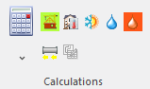
Clicking the  button results in all project scopes being calculated by default. The calculation time can be shortened by doing one of the following:
- Disabling indicated calculation scopes by unchecking checkboxes adjacent to the relevant module icons upon expanding the
 دکمه.
دکمه.
 محاسبات حرارتی ساختمان
 محاسبه سازه ساختمان
 محاسبات سیستمهای گرمایشی و سرمایشی
 محاسبات سیستمهای آبرسانی
 محاسبات سیستمهای فاضلابی
- Running calculations of a selected project scope only by clicking the relevant icon
- Excluding selected modules from the project scope in the اطلاعات كلي window


For more information, see: Calculations and diagnostics
تغییر دادن تنظیمات برنامه
Do not enable automatic switching to the نتایج window after completing calculations. This will reduce the calculations time by the time needed for switching to the نتایج and for refreshing the printout.

غیرفعال کردن پنجره سه بعدی
When working on a less powerful graphics card, the calculation time, which also includes the time necessary for refreshing of the drawing of the building model and the installation after calculation, may be reduced noticeably after disabling the نمای 3 بعدی window.

Disabling the ایجاد نقشه مدارها function
This applies to the سیستمهای تابشی module. If loop drawings are not required or if they have already been generated and satisfactory results have been obtained, their generation can be disabled as described in:
For more information, see: Manual editing of loop drawings.

Disabling automatic division of منطقه گرمایش / سرمایش and drawing of pipe feeds
This applies to the سیستمهای تابشی module. Due to the need to take into account many parameters, the algorithm for dividing the منطقه گرمایش / سرمایش and drawing the pipe feeds can considerably increase the project calculation time of the سیستمهای گرمایشی و سرمایشی. When satisfactory results (flow, thermal and graphical) are obtained, these algorithms can be disabled.
For more information, see: Dividing a Heating/Cooling Zone into Heating-cooling surface components
سایر
If various pipe and fitting systems are used in a project, the sizing of connections between the systems may take longer during the first calculation of the project.